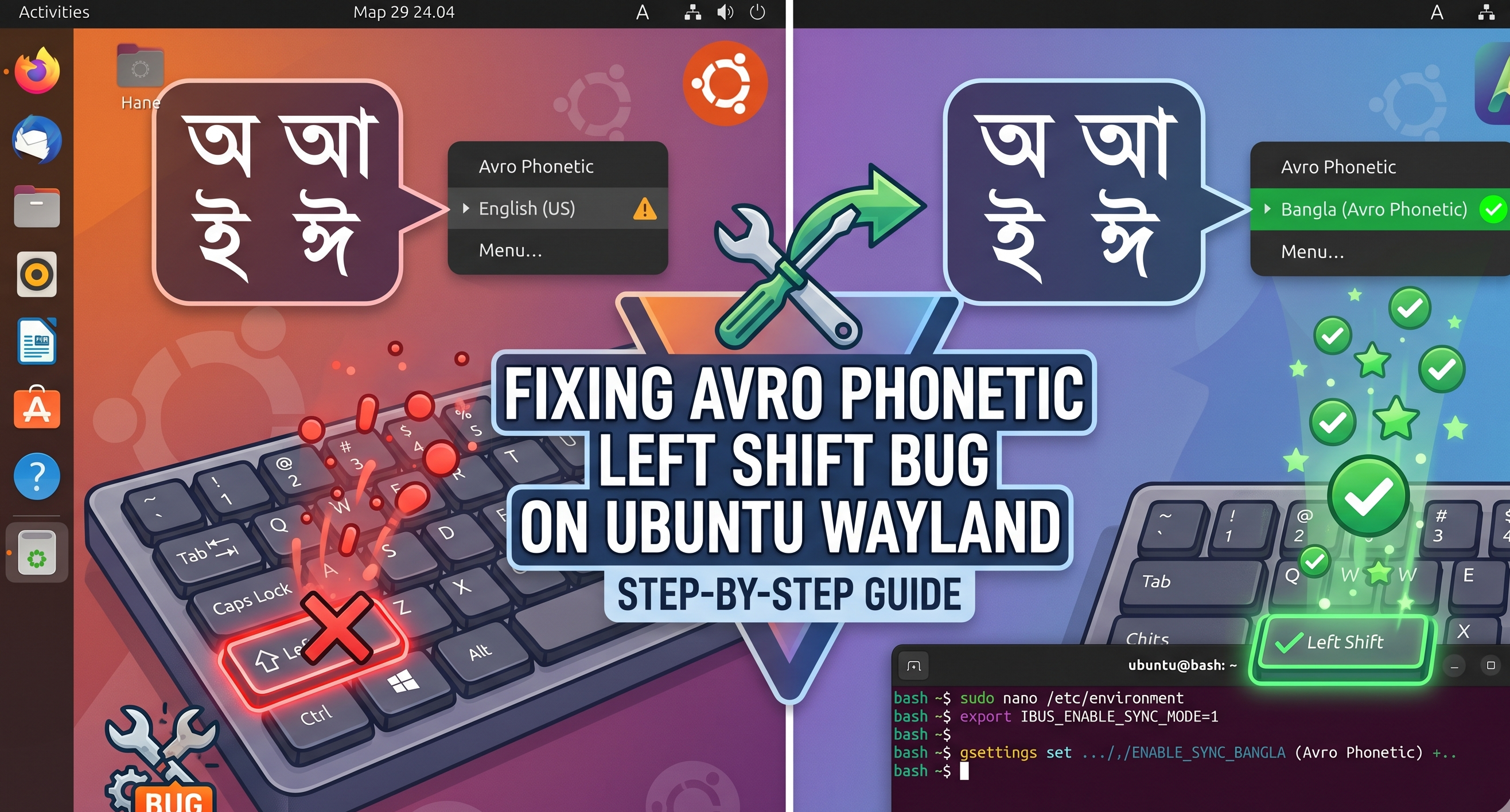
Fixing Avro Phonetic on Linux Wayland — Left Shift, GNOME, KDE Plasma
Avro Phonetic for Linux had a 14-year-old bug that broke the Left Shift key, and Wayland broke input switching entirely. I forked it, fixed the Shift bug, ported the install to GNOME 50+ and KDE Plasma 6, built a GTK4 manager, and shipped it as `ibus-avro-fixed` — one install for both desktops.
The Problem
I type Bangla on Linux using Avro Phonetic — the most popular phonetic typing method for Bengali. You type English letters and it transliterates them to Bangla in real time. Type ami bangla likhte pari and you get আমি বাংলা লিখতে পারি.
The Linux version, ibus-avro, was written in 2012 for X11. It worked fine then. By 2026, on modern Linux with Wayland — whether GNOME or KDE Plasma — it was broken in ways that made daily use painful.
The Left Shift bug was the worst. When Avro was active, your Left Shift key stopped working — not just for Bangla, but everywhere. You could not type capital letters, you could not select text with Shift+click, you could not use Shift+anything. The Right Shift key had a similar issue. It sounds like a minor annoyance until you realise you use Shift hundreds of times a day.
Wayland broke input switching. The old ibus-avro used X11 key grabs to let you toggle between English and Bangla with a keyboard shortcut. On Wayland, X11 key grabs do not work. Different desktops handle this differently — GNOME funnels everything through Mutter, KDE funnels everything through KWin — and ibus-avro knew about neither.
GNOME 50+ broke it further. Starting with GNOME 50, the desktop no longer sets GTK_IM_MODULE=ibus automatically. GTK apps did not know to use IBus, so even after switching to Bangla, you would type English. The indicator said Bangla but nothing happened.
The preferences window crashed. The old preferences UI was GTK3. On modern GNOME with GTK4, it either crashed or rendered as a broken mess.
The upstream repo has been unmaintained since 2023. Issues pile up, pull requests sit there. I decided to fork it and fix everything — and then a few months later, when I migrated my workstation to Kubuntu 26.04 / Plasma 6.6 Wayland, I had to fix it all over again for KDE.
The Left Shift Fix
The root cause was one line in main-gjs.js, the IBus engine:
// capture the shift key
if (keycode == 42) { return true; }
return true in an IBus engine means "I consumed this key event — do not pass it to the OS." Keycode 42 is Left Shift. So when Avro was active, it intercepted every Left Shift press and swallowed it. The OS never saw it.
The fix is embarrassingly simple:
// Pass through Left Shift (42) and Right Shift (54)
if (keycode == 42 || keycode == 54) {
    return false;
}
return false means "I did not handle this — pass it through." I also added Right Shift (keycode 54) since it had the same problem.
This bug existed since the first commit in 2012. It is the kind of bug where you can see exactly what happened: someone was debugging modifier key handling, captured Shift to test something, and the return true never got changed back. Fourteen years.
Wayland Input Switching — GNOME vs KDE
On X11, IBus registered global keyboard shortcuts using XGrabKey. You pressed the shortcut, X11 intercepted it and told IBus to switch engines. Clean and simple.
On Wayland, there is no equivalent. Wayland deliberately does not let applications grab global keyboard shortcuts — that is a security decision. The desktop environment owns the keyboard, and each environment routes hotkeys differently. So "configure Super+Space" means two completely different things on GNOME and KDE.
GNOME (Mutter)
GNOME handles input switching natively through gsettings. The fix is to use GNOME's own keybinding schema:
gsettings set org.gnome.desktop.wm.keybindings switch-input-source "['<Super>space']"
gsettings set org.gnome.desktop.wm.keybindings switch-input-source-backward "['<Shift><Super>space']"
And clear the old IBus trigger that does nothing on Wayland but can cause conflicts:
gsettings set org.freedesktop.ibus.general.hotkey trigger "['']"
Mutter intercepts the key combination at the compositor level and switches the input source for you.
KDE Plasma 6 (KWin)
KDE was a different beast entirely. The first instinct — set IBus's own org.freedesktop.ibus.general.hotkey trigger schema — turns out to be wrong: that schema is X11-era. It relies on X keygrabs that do not exist on Wayland. The daemon stores the value but cannot enforce it. KWin meanwhile does not intercept Super+Space the way Mutter does (KRunner is on Alt+Space in Plasma 6, not Super+Space).
The right fix on KDE is to bind Meta+Space at the desktop level via kglobalaccel — KDE's own global shortcut daemon — pointed at a small toggle script:
# /usr/local/bin/ibus-avro-toggle
case "$(ibus engine)" in
    ibus-avro) ibus engine xkb:us::eng ;;
    *)         ibus engine ibus-avro ;;
esac
Then drop a .desktop file pointing at the script and register the shortcut live with org.kde.KGlobalAccel.setShortcut via DBus:
gdbus call --session --dest org.kde.kglobalaccel \
    --object-path /kglobalaccel \
    --method org.kde.KGlobalAccel.setShortcut \
    "['com.github.mmhfarooque.ibus-avro-toggle.desktop','_launch',...]" \
    '[268435488]' 4
The magic number 268435488 is the Qt-encoded keycode for Meta+Space (Qt::MetaModifier 0x10000000 | Qt::Key_Space 0x20). Use setShortcut (signature ai) — the newer setShortcutKeys (signature a(ai)) is easy to crash with bad GVariant. KWin restarting itself in front of you is not a fun debugging session.
KDE Plasma 6 also requires kwinrc [Wayland] InputMethod=…IBus.Panel.Wayland.Gtk3.desktop so KWin actually attaches IBus to its input dispatch. Without that key, IBus is up but disconnected from the typing pipeline. The installer writes both pieces, calls qdbus6 org.kde.KWin /KWin reconfigure, and tells the user to log out and log back in once — Plasma's Virtual Keyboard service only re-attaches at session start.
The GNOME 50 Environment Variable Fix
This was the most confusing one to debug. After installing and fixing everything on GNOME, Avro would show as active in the system tray — Super+Space worked, the indicator said "Bangla" — but typing in any GTK app still produced English text.
The issue: starting with GNOME 50 on Wayland, the desktop environment handles IBus natively but does not export the GTK_IM_MODULE=ibus environment variable. Older GNOME versions set this automatically. Without it, GTK applications do not know to use IBus for text input.
The fix on GNOME: create ~/.config/environment.d/10-ibus-avro.conf with:
GTK_IM_MODULE=ibus
QT_IM_MODULE=ibus
XMODIFIERS=@im=ibus
This is the systemd user environment directory — variables here are loaded on login for all user sessions. Works on Wayland, does not break X11.
On KDE Plasma 6, do not do this. Plasma 6 uses the Wayland text-input-v3 protocol natively; the IM module env vars are redundant, and setting them triggers an IBus startup notification asking the user to unset them. The installer skips the env file on KDE.
The KDE-Specific Gotchas
Three more things I hit on Kubuntu 26.04 / Plasma 6.6.4 that I did not see on GNOME:
Wrong systemd unit silently fails. The IBus systemd user unit comes in two flavours: org.freedesktop.IBus.session.GNOME.service (which has Requisite=gnome-session-initialized.target — that target only exists on GNOME) and org.freedesktop.IBus.session.generic.service (which has Conflicts=gnome-session-initialized.target and is the explicit non-GNOME variant). The early KDE branch of my installer used the GNOME unit. On KDE it returned "Unit gnome-session-initialized.target not found" and the daemon never actually started, but every other indicator showed green. Now branched by XDG_CURRENT_DESKTOP.
ibus-gtk3 / ibus-gtk4 are not pulled by ibus-avro. They are Recommends, not Depends, and apt's default config skips Recommends in some setups. Without them, GTK apps log "No IM module matching GTK_IM_MODULE=ibus found" and silently type English. The installer now installs them explicitly.
Kubuntu 26.04 ships a duplicate kglobalaccel service unit. Both plasma-kglobalaccel.service (Plasma 6) and plasma-kglobalaccel5.service (legacy Plasma 5) ship in the package, declaring the same DBus name. The .5 unit fails to load with "File exists," and any DBus auto-activation cascades into a kwin restart. Workaround: systemctl --user mask plasma-kglobalaccel5.service. Worth reporting upstream to Kubuntu, but the installer's troubleshooting docs document it.
Making Fixes Survive Updates
Here is a problem with patching system files: apt upgrade replaces them. Every time Ubuntu pushes an ibus-avro update, the Left Shift fix gets overwritten and you are back to a broken keyboard.
The solution is an APT hook:
# /etc/apt/apt.conf.d/99-fix-ibus-avro
DPkg::Post-Invoke { "/usr/local/bin/fix-ibus-avro.sh || true"; };
After every dpkg operation, it runs a script that checks if the fix is still applied and re-applies it if not. You install system updates, the fix survives. This hook is Debian-only — but it is only needed where the fix is patched into apt-managed files. The v2.7.1 RPM sidesteps it entirely: it packages the already-fixed source, so there is nothing for a system update to overwrite and no hook to re-apply.
Why You Used to See Empty Boxes — The Bangla Font Fix
There was a subtle trap that bit fresh installs for years. The engine emits Unicode codepoints — it does the transliteration correctly — but a codepoint only becomes a visible glyph if a Bengali font is installed to draw it. On a font-less system you would switch to Bangla, type away, and get rows of empty "tofu" boxes (□□□). Everything was working; you just had nothing to render it with, and the fix was a manual font download nobody told you about.
As of v2.7.0 every install path depends on a Bangla Unicode font, so a fresh install renders out of the box. install.sh and the .deb pull fonts-beng; the new .rpm and setup-gui.sh's dnf branch require google-noto-sans-bengali-fonts; the pacman branch adds noto-fonts. No more typing into the void.
The GUI Manager — IBus Avro Manager
After the CS9711 fingerprint project, I knew the value of a GUI for this kind of tool. The command line is fine for the initial install, but checking what is fixed, updating, troubleshooting — that should be visual. The IBus Avro Manager is a GTK4/libadwaita app in Python. The name was deliberately chosen to surface in both KDE Kickoff (search "ibus") and GNOME overview (search "avro"). It shows:
- Status: IBus daemon running or not, Avro engine loaded, Wayland or X11 session, configured input sources
- Fix dashboard: which fixes are applied (green) and which are missing (red), with a one-click "Apply All Fixes" button (now available in the header bar too, so it is always reachable)
- Input switching: current shortcut and a button to configure Super+Space — DE-aware, runs the right backend for GNOME or KDE automatically
- Typing settings: preview window, dictionary, max suggestions — reads and writes the gsettings in real time
- Self-update: checks GitHub for new versions, shows what changed, one-click update
- Diagnostics: activity log viewer with copy-to-clipboard for bug reporting
One note for rpm users: the v2.7.x .rpm deliberately ships only the fixed engine and its supporting bits, not this GUI manager (the manager is wired to the apt/git workflow). On openSUSE and Fedora the fix, IBus component, schema and GTK4 preferences are all there — the dashboard app is the one apt-path extra you do not get.
Bugs I Hit Along the Way
GTK3/GTK4 conflict — The original main-gjs.js imported pref.js at module level. The preferences window used GTK3. The new one uses GTK4. When IBus loaded the engine, it would try to load both GTK3 and GTK4 into the same process, which crashes GJS. The fix: never import pref.js in the engine. Launch preferences as a separate process via GLib.spawn_command_line_async().
Debug log spam — The upstream code had print() calls on every single keypress. With Avro active, your system journal filled up with thousands of "key pressed: 65, state: 0" lines per minute. The installer comments out all debug prints except the critical "IBus bus not found" error.
Broken autostart desktop entry — An early version had Exec=bash -c "...\"['<Super>space']\"..." in an autostart .desktop file. The escaped quotes violate the desktop-entry spec, and systemd-xdg-autostart-generator silently rejected the file on every boot. Replaced with a real shell script invocation.
setShortcutKeys crashed kglobalaccel — Bad GVariant syntax for a(ai) caused the kglobalaccel service to disconnect from DBus, which cascaded into a kwin restart in front of me. Switched to setShortcut (signature ai), which is simpler and stable.
Total uninstall meant total uninstall — The first version of uninstall.sh ran apt install --reinstall ibus-avro to "restore upstream," which left the IBus tray icon, the registered engine, and all base packages in place. Useless for fresh-install testing on the same machine. Now uninstall.sh purges every IBus apt package, kills running daemons, wipes user state, unbinds the kglobalaccel action, and removes its own source directory. After it finishes, which ibus returns nothing.
Current State
The project is at v2.7.1. One command to install:
git clone https://github.com/mmhfarooque/ibus-avro-fixed.git ~/ibus-avro-fixed && cd ~/ibus-avro-fixed && bash install.sh
Verified on Kubuntu 26.04 LTS / Plasma 6.6.4 Wayland. Code path preserved (and previously verified) on Ubuntu 26.04 / GNOME 50+ Wayland. Should work on Debian, Mint, Pop!_OS, KDE Neon — same Debian-based code path, but I have not personally smoke-tested those on the v2.7.x line. As of v2.7.0 there is also an RPM (packaging/ibus-avro-fixed.spec) for openSUSE and Fedora — it packages the already-fixed engine, IBus component, GSettings schema and GTK4 preferences, and pulls in the Bangla font, so the old "apt-only" gap is closed for rpm distros. The RPM is verified on real hardware — the machine this update is written from runs it on openSUSE Tumbleweed / Plasma 6 Wayland. (Use v2.7.1, not v2.7.0: the first RPM shipped an XML escaping bug that kept the engine out of IBus discovery; v2.7.1 fixes it.) Arch is still install-script-only (the install.sh path is apt-based; the patches themselves are distro-agnostic).
After the install finishes, log out and log back in once. Then right-click the IBus tray icon → Preferences → Input Method → Add → Bangla → Avro Phonetic. Press Super+Space. Type. The Shift key works. Bangla appears.
If you type Bangla on Linux and your Shift key does not work, or you switched to Wayland and lost your input switching shortcut, this fixes it on both major desktops:
github.com/mmhfarooque/ibus-avro-fixed