GUI Speed Test for Linux — The Internet Speed Test I Wish Already Existed
Every Linux speed test I tried was broken, browser-bound, or phoning home. So I built one. Fast, native GTK4, four live-working backends (Cloudflare, Ookla, M-Lab, LibreSpeed with a built-in server picker), zero tracking — installs on any distro with one command.
The Problem
My ISP in Dhaka has a bad habit: slow speeds that they insist are fine. I needed a reliable way to prove otherwise. So I reached for the usual Linux tools — and every one of them let me down.
speedtest-cli — the old Python wrapper — is dead. Speedtest.net returns 403 Forbidden the moment it sees its User-Agent.
Ookla's official CLI works, but it is terminal-only, prints nothing while it runs, then dumps a JSON blob at the end. Not exactly something you show your landlord when the line is slow.
Fast.com is browser-only, reports only download speed, and is Netflix's marketing tool dressed up as a utility.
Nperf works but bundles telemetry and ads.
The existing GTK speed tests on GitHub are unmaintained, look like they were last themed in 2015, and most are stuck on GTK3.
So I built the one I wanted. Native GTK4, live charts, four backends, zero tracking, and it installs on any Linux distro in one line.
What It Does
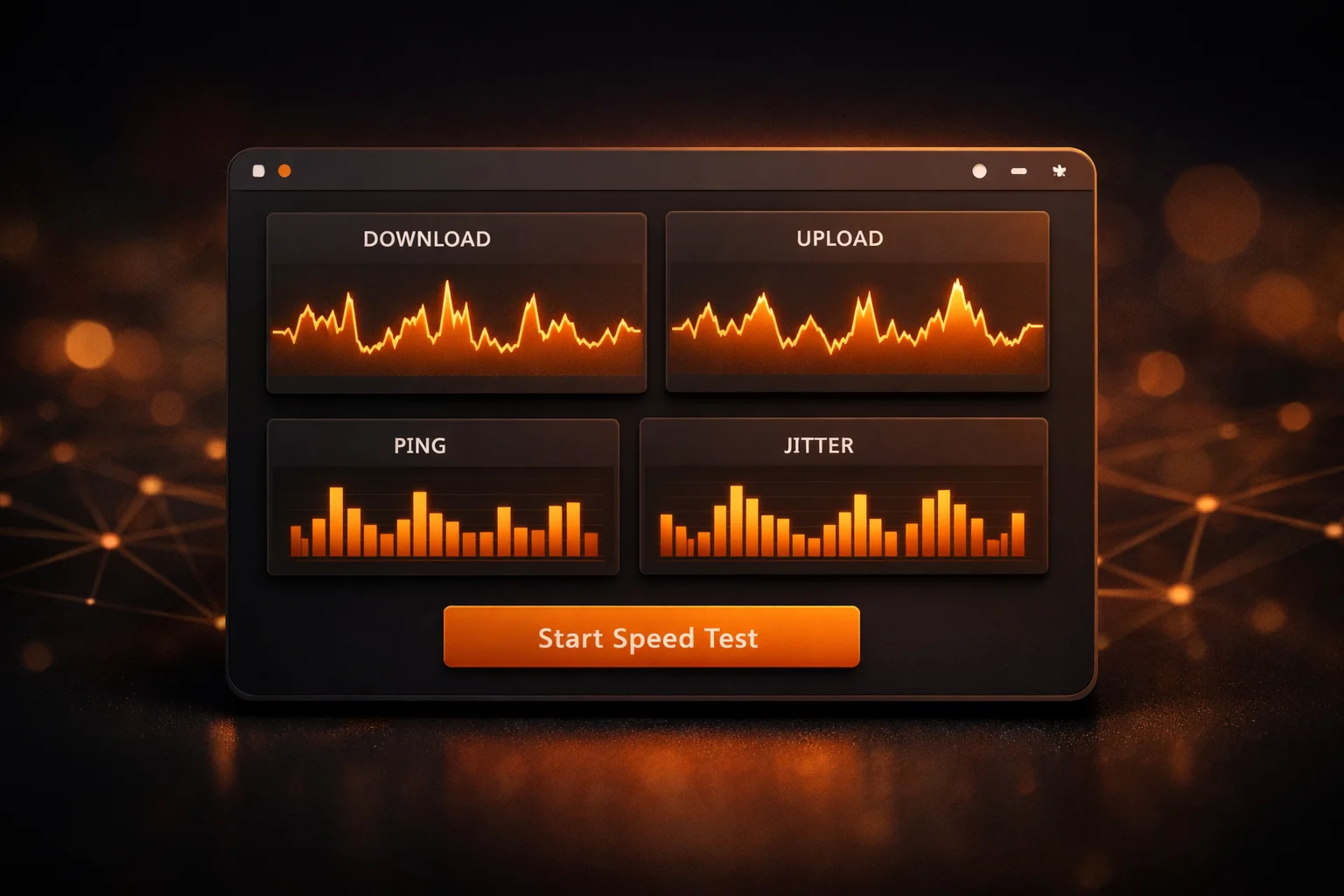
GUI Speed Test for Linux is a desktop app that runs a full internet speed test — ping, jitter, download, upload — and shows the whole thing happening in real time. Not a spinner. Not a bar that fills up. Actual sparklines of your throughput as each chunk transfers, and a per-sample ping histogram so you can see your jitter at a glance.
It runs the test against whichever server you trust most:
- Cloudflare (default) — their global anycast network. Hits the nearest PoP, no setup, just works.
- Ookla Speedtest — the official one everyone knows. Wraps Ookla's own CLI so the numbers are identical to speedtest.net. Install the Ookla CLI with one click via the in-app "Enable Ookla" button.
- M-Lab NDT7 — academic, research-backed, non-commercial. Good for when you want a number that is not tied to an ISP or CDN.
- LibreSpeed — open source, self-hostable. The app ships with a curated list of three Clouvider public LibreSpeed endpoints baked in (New York, Atlanta, Los Angeles) — endpoints I've watched stay reachable for months. When you select LibreSpeed from the backend dropdown, a server picker appears right below it — pick the endpoint geographically closest to you and click Start. No setup, no env vars. And if a curated server happens to be unreachable at run time, the app silently falls back to the next live one in the list (v1.7.1+) — so future server churn degrades gracefully instead of failing every phase. If you run your own LibreSpeed instance, point the app at it via
--librespeed-urlor theLIBRESPEED_URLenv var and your self-hosted URL shows up in the same picker (custom URLs are never auto-switched — your explicit choice is respected).
The backend picker lives right there in the main window. Switch between all four, compare numbers, call out the one your ISP blames when the others disagree.
What Makes It Actually Nice to Use
It is native. GTK4 and libadwaita. It looks like it belongs on GNOME, it respects your system's light/dark theme automatically, and on KDE it still feels at home because libadwaita is not pretending to be anything else.
It starts fast. Under a second. No Electron, no Chromium, no splash screen. Python 3 stdlib under the hood — the whole app is about 2,000 lines of code.
It tells you what it is doing. The old Ookla CLI would sit silent for 30 seconds and then show you the final number. I rewrote that integration to stream the live jsonl progress events straight into the chart — you see the speed climb, plateau, dip, as it happens. The ping bars fill in one at a time as samples complete. It feels like a dashboard, not a loading screen.
It does not hang. Broken IPv6 transit is a real problem on some ISPs — your DNS returns an AAAA record, your OS tries to connect over IPv6, and sits there for 60 or more seconds per attempt because Python's urllib does not do Happy Eyeballs. I patched around that at the DNS layer. On my ISP the same test went from 62 seconds to 1.4 seconds for a 25 MB download. Same 141 Mbps either way — the difference was all wasted wait.
It cancels cleanly. Hit the Cancel button mid-run and it stops within a second. Not "finishes the current chunk then stops." Actually stops. I had to rewrite the download logic three times to get this right; most tools do not bother.
It logs everything. Every run writes a rotating log to ~/.cache/gui-speedtest/gui-speedtest.log. There is a "Log" button in the header bar that opens an in-app viewer with a copy-all button — no need to go hunting in the terminal when you want to share a trace.
CLI and JSON output too. The same binary runs headless with gui-speedtest (terminal mode) or gui-speedtest --json (machine-readable). Pipe the JSON into jq, append to a log file, trend your ISP over time.
Why the LibreSpeed Picker Matters
The other three backends are "always works" — Cloudflare has a fixed public endpoint, Ookla uses whatever Ookla's own server-selection algorithm picks, M-Lab finds its nearest node automatically. LibreSpeed is different: it is an open-source server you run yourself, or borrow from someone else who runs one. There is no canonical public "LibreSpeed endpoint" — the community maintains a rotating list of volunteers who host public instances.
Older versions of the app required you to know one of those URLs and pass it via LIBRESPEED_URL. In practice that meant nobody used the LibreSpeed backend, because nobody reads blog posts closely enough to discover that hidden configuration step. The backend was shipped but effectively muted.
The fix is to bake in a curated short-list of public LibreSpeed servers and let the user pick one in the GUI with a second dropdown under the Backend selector. After a v1.7.0 → v1.7.1 round of real-world testing — half the servers I'd shipped in v1.7.0 turned out to be either DNS-dead or 403'ing on the speedtest endpoint — the shipping list is three Clouvider US endpoints (New York, Atlanta, Los Angeles), and v1.7.1 adds an auto-fallback so if the user's pick is unreachable at run time, the app transparently switches to the next live one in the list. Self-hosting still works — if you have your own LibreSpeed instance and set LIBRESPEED_URL, it appears in the picker too, selected by default (and never auto-switched — your explicit choice is respected). But you are no longer required to configure anything to use LibreSpeed.
This is a small thing that should have shipped on day one.
What It Does Not Do
No account. No cloud. No sync. No ads. No "upgrade to pro." No telemetry. No crash reporter phoning home. You run the test, you see the result, that is the entire transaction. The only network traffic the app makes is the speed test itself.
GPL-3.0-or-later. The code is on GitHub. Read it, fork it, modify it, ship it on your NAS — all fine.
Install
One line, any distro:
curl -fsSL https://raw.githubusercontent.com/mmhfarooque/gui-speedtest/main/install.sh | bash
The installer auto-detects your distro and picks the right package:
- Debian / Ubuntu / Mint / Pop!_OS →
.deb - Fedora / RHEL / Rocky / Alma →
.rpm - openSUSE →
.rpmvia zypper - Arch / Manjaro / anything else → AppImage (portable, no root)
Snap, Flatpak, and direct pip install are also available — --snap, --flatpak, or pip install gui-speedtest work if you prefer those. Full instructions are in the README.
Uninstall is a mirror of the install. The installer cleans up everything it put down, including the Ookla Speedtest CLI if it installed it for you. Add --keep-ookla to preserve Ookla for other tools.
curl -fsSL https://raw.githubusercontent.com/mmhfarooque/gui-speedtest/main/install.sh | bash -s -- --uninstall
Who It Is For
- Anyone on a residential ISP that overcommits its backbone and needs evidence.
- Developers testing the performance of their own web services from a Linux box — the CLI plus JSON output means you can script monitoring in 10 lines of bash.
- People who liked the old
speedtest-cliand have not found a replacement. - Anyone who cares that "internet speed test" should not mean "third-party JavaScript running in your browser."
- Linux purists who want a tool that works the same on Ubuntu, Fedora, and Arch without a browser dance.
What Is Next
The app is stable and feature-complete for v1. Future additions on the table:
- A system-tray companion (
netspeed-tray) that shows live upload and download rates in the panel — a separate project, designed so this GUI stays focused. - More backends — NDT7 variants, specific regional servers, maybe iperf3 targets for LAN testing.
- AUR official submission (the
PKGBUILDis already in the repo; I just need to upload it). - Flathub submission (the Flatpak manifest needs websocket-client vendored via
flatpak-pip-generatorto satisfy Flathub's no-network-during-build policy).
If there is a backend you wish it had, a LibreSpeed server you want added to the built-in picker, or a feature that would make it useful for your workflow, drop an issue on the repo. I read every one.
Try it:
curl -fsSL https://raw.githubusercontent.com/mmhfarooque/gui-speedtest/main/install.sh | bash
gui-speedtest --gui
Source and issues: github.com/mmhfarooque/gui-speedtest
License: GPL-3.0-or-later.